
What I showed was a center for my own project, not a portfolio
The center I presented handles the Ad Summit campaigns, my own event, not an agency with dozens of clients. It matters not to conflate the two cases, because priority logic changes when the money at stake is mine versus when it belongs to a client expecting accountability.
I explained in class that behind that center there is no language model deciding on each check: "this is mechanized, it doesn't even need a brain behind it." The system runs on an hourly schedule, at 16:15, 17:15, 18:15 and so on, applies a rules matrix I defined myself, and reports changes over WhatsApp. One concrete example: no ad set gets paused before spending 60 euros, and minimum daily budget per set does not drop below 5 euros until accumulated spend reaches 50 euros. This is fixed-rule automation, written by me based on my own business experience, not artificial intelligence interpreting context every minute.
I also described, as a future vision rather than a built system, a client management center with one tab per account and a central tab flagging which clients are critical on a given day. That portfolio vision, still to be built the way I described it, is what is worth developing here, without treating it as something already implemented or tested with real agency clients.
Separate what is critical from what is just statistical noise
If you want a portfolio dashboard, the first job is deciding what counts as critical. It is acquisition cost drifting away from the target a client agreed to pay, or a total absence of spend when normal ad delivery should be happening. It is not a small click-through rate dip on an ad still in testing.
I was clear about this in class: I don't want artificial intelligence to think about whether a campaign is good or bad. I want it to apply rules I defined myself, based on business economics, on what the client can afford per acquisition, and on the lifetime value expected from that acquisition over the following months. That discipline of setting the ruler before asking for alerts is what keeps a dashboard from filling up with signals that carry no real business meaning.
I also gave the example of a 7-euro course I ran for a while: the immediate return was already positive, with an ROI above two, but modest in absolute terms, around 30 thousand euros in revenue after deducting advertising spend over two or three years, before other business costs. What made that campaign exceptional was the lifetime value: those same customers later generated over half a million euros in sales. A dashboard that only shows instant ROAS, without lifetime-value context, might flag as critical something that is actually working very well over a longer horizon. If you are designing this for several clients, each account needs its own ruler, tuned to that business's actual lifecycle.
What I expect from a media buyer in the AI era
Growing an online business: what I learned about margin, team, and AI
Absent spend is a more urgent signal than a cost increase
In my own system I receive an automated alert whenever no spend is logged on a campaign in the last 60 minutes. That kind of warning addresses a real and recurring problem in media buying: suspended accounts or rejected cards waste time that cannot be recovered.
I get that message directly on WhatsApp, with the checkpoint time and the current ROI status for that day, without needing to open the ad platform to confirm anything. In a multi-client portfolio, that zero-spend-when-delivery-should-be-happening signal is probably the most valuable of all possible alerts, because it is objective, easy to verify automatically, and hard to confuse with the normal noise of optimization that happens in any account during a testing phase. I would start there if I were building something like this: a simple absent-spend alert already solves a good part of the anxiety of managing multiple accounts at once.
Assign who owns the decision, not just who gets the alert
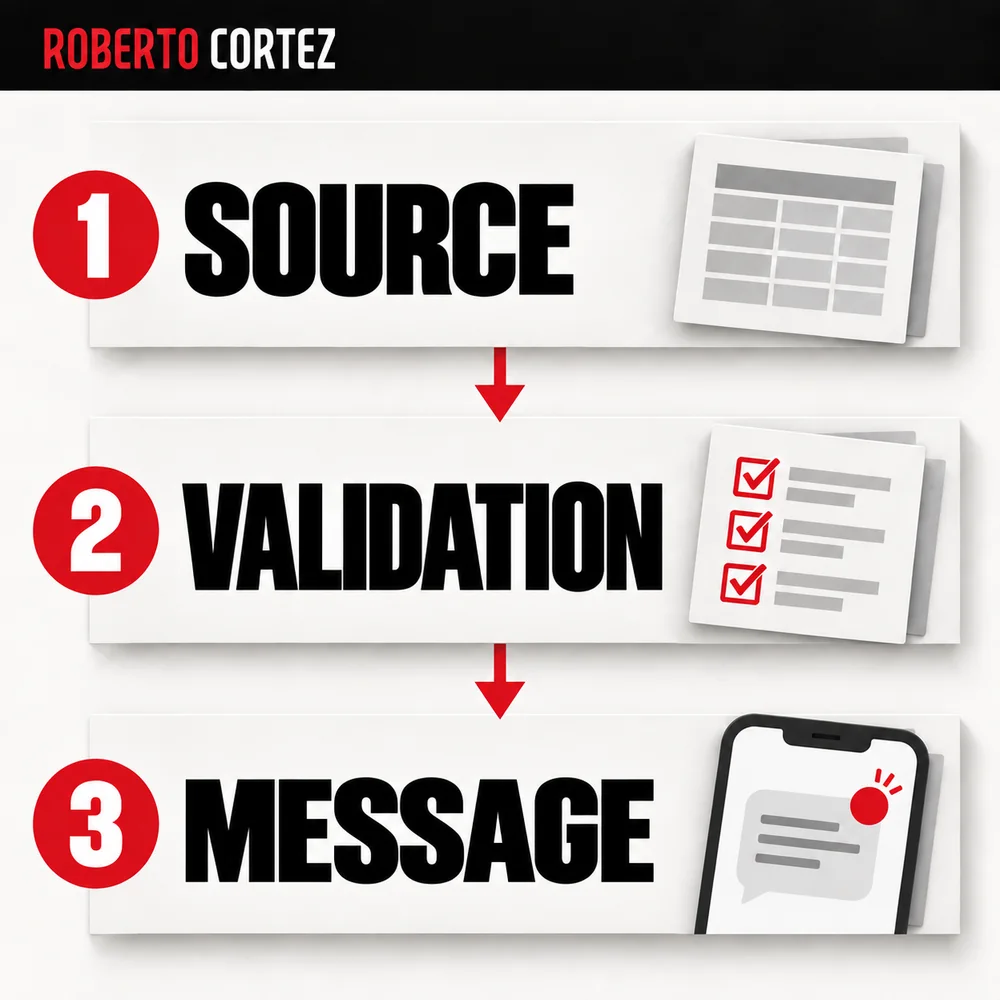
I stressed self-accountability quite a bit in class: the machine can detect a problem, but the person who decides what to do and answers for the consequences of that decision is always the human, never the automated system. This applies directly to designing a portfolio dashboard for several clients.
A dashboard that only lists alerts without saying who handles each one recreates the same problem that existed before any tool: everyone assumes someone else has already seen it and is acting on it. If you are building this kind of center for a small team, I would start by explicitly tying every critical alert to a responsible person right on the dashboard itself. That already provides the clarity needed about who acts when the alert appears.
Do not confuse managing many small accounts with a proven scale result
I said plainly in class that today I feel I could comfortably manage thirty demanding clients, comparing that to what I felt capable of a few years back. It is worth reading this as my own personal opinion about my current capacity, not as a tested or measured result from agency data.
The years I refer to are five, six, or seven years ago, when managing ten clients already left me close to burnout. What I presented as concrete support for the current statement was mostly simple automations: the absent-spend alert, hourly WhatsApp reports with ROI status, and the rules matrix I built for my own event. I did not describe having applied that portfolio center, with one tab per client and a central criticality tab, to a real agency running thirty simultaneous clients. It is a vision for the future of the profession that I presented as an ideal to build, not a case demonstrated step by step within the class itself.
Keep alerts from becoming noise nobody reads
A system that warns on every small statistical fluctuation ends up muted, because after a few hours of irrelevant messages the person stops even glancing at the notifications they receive. In my own system I chose an hourly WhatsApp summary instead of a message for every micro change.
If you are designing this for several clients at once, the same logic applies directly: group moderate anomalies into a periodic summary, for example daily, and reserve immediate notifications for genuinely serious situations, such as a total spend halt or an acquisition cost far above the limit agreed with that specific client. This reflects practical common sense about what keeps an alert channel useful and credible over weeks and months of real use, without tiring whoever reads the messages every day.
What to take from this example if you want to build something similar
The real value of my center is not the cumulative sales chart, which I myself described in class as not particularly useful to my day-to-day work. It lies mostly in the automation layer: clear rules written before turning the system on and a simple reporting channel.
If you want to apply this logic to an agency's client portfolio, a reasonable starting point is small and concrete: define a criticality ruler specific to each client, build a simple absent-spend alert, assign an explicit owner to every critical alert, and group the rest of the fluctuations into a periodic summary instead of constant notifications. This is a careful extension of what I already showed working on a single account, applied cautiously to more than one client, without any guarantee of results.
Source note
This article draws on Sextas Ímpares #151, "The media buyer's role in the era of AI", which I recorded on vacation, between rain interruptions and without stable internet. In it I showed the command center I built for Ad Summit and talked about my vision of what a strategic media buyer should be, including the idea, not yet built that way, of a single center with a criticality tab per client. Full video: https://www.youtube.com/watch?v=SYe0ebyVZ5c