

An integration can receive a request, fill a spreadsheet and report a completed run without interpreting the content correctly. Someone looking only at the final status sees a working connection. The person using the record may find a lost contact detail, an ambiguous deadline or a budget that nobody provided but that appeared as zero.
When working with information across tools, I pay attention to structure and field mapping. The destination needs to receive what it requires to perform the next task. That raises a question worth asking before handing an automation to the team: what happens when the input differs from the example used to build it?
I will use a fictional example: a form receives requests for quotations, and an automation prepares a record for sales review. It contains a description, contact details, a preferred deadline and an optional budget. The tests aim to establish whether the information arrives correctly and whether incomplete situations receive explicit treatment, without creating real contacts or sending actual messages.
Define the expected behaviour before preparing examples
Write down the decision each field supports and the expected behaviour when that information is missing. A field may be essential for one stage and unnecessary for another. The rule should specify whether the request proceeds, waits for review or is rejected, and who can understand the reason for that decision during their everyday work.
In the example, the description helps the team understand the service requested, and the contact details allow a reply. The deadline helps assess availability but may still be undecided. An optional budget can guide the sales conversation; its absence does not authorise the automation to conclude that the customer has no money for the project.
These differences affect how the request reaches the team. A request without a budget might be ready for an initial review, with the unknown information clearly marked. A request without any means of contact may need different treatment, defined by the business, because the next action depends on being able to speak to the person.
I would begin by writing these rules in language the sales manager can validate. For example: “Without a stated budget, retain the request and mark the budget as unknown.” The technical team can then turn that sentence into a verifiable condition, without having to infer a commercial policy from the form's design.
I would also separate what the form requires from what the integration actually receives. A mandatory field on the page does not prove that every later input contains it. An import, a changed form or another source connected to the same process can deliver a different structure.
The decision should exist before you observe the test result. Otherwise, it is easy to call whatever the tool already does acceptable. When a rule changes for a sound business reason, record the change and review the affected examples; do not silently change the expectation to make a failure disappear.
This work complements the broader review of testing an automation before handing it to the team. Here, the focus is on incoming information and the decision it supports, even when the connections between tools already work. It gives the team a more precise basis for deciding what an acceptable record looks like.
Separate missing, empty and zero in your test cases
Prepare distinct examples for a field that never arrives, one that arrives empty and one containing zero. Do not automatically assign them the same meaning. Also decide how to handle spaces without text and unknown values, checking whether transformations between tools preserve the distinction the team needs in order to interpret the request correctly.
For the budget in the example, absence may mean that the person chose not to provide an amount. Zero is an explicit value, although it may require clarification. If the integration converts both situations to zero, the team loses a distinction present in the input and may start the conversation with the wrong interpretation.
An empty field also deserves its own test. A column may exist under the expected name without containing useful information. There may even be a string of spaces that looks filled to the tool and empty to a reader; the test should show whether the chosen rule recognises that situation.
With structured data, you may also encounter a null value, sometimes written as null. That is different from an absent property, although an application can choose to treat them alike. The equivalence must be an explicit process decision confirmed by testing, rather than an assumption made by someone looking at the screen.
Use the same fictional request as a base and change only the budget for these initial comparisons. You can then associate a difference in the result with the change you made. If you also alter the contact details and description, you no longer know which input caused the observed decision.
For each variant, inspect the stored value and the label shown to the team. “Not provided” communicates something different from “no budget available”. The former describes the information received; the latter adds a conclusion about the prospective customer that the data does not support.
This attention helps prevent commercial decisions from being hidden inside technical conversions. The person configuring the workflow may simply be trying to fill a mandatory cell, while the person receiving the spreadsheet interprets its contents as a fact. The test should reveal that difference before the record enters the team's normal workload.
Check formats without guessing a different meaning
Test representations your operation could actually receive and define which ones it accepts, converts or returns for correction. Dates, numbers and identifiers need attention to meaning as well as appearance. An automatic transformation should proceed only under a clear rule; where different interpretations remain possible, the test should confirm that the uncertainty stays visible for review.
A deadline written as “03/04” can leave both the year and the order of day and month unresolved. The integration may be able to store that text, but storage does not settle the calendar decision. In the fictional example, I would prefer the deadline to remain unconfirmed until there is enough information to interpret it.
The same care applies to numbers received as text. A comma can belong to a decimal representation, while another context uses a dot as its separator. Instead of asking the tool to accept anything, agree on the expected convention at the source and the representation the destination should store.
Some values also look like numbers but act as identifiers. An internal code may begin with zeros that are part of the code itself. If a conversion removes them, the integration can retain a valid number while losing the correct reference; test the final value against the complete identifier that arrived.
Not every variation needs rejection. Removing accidental spaces at the ends of a field may make sense if it leaves relevant information intact. Completing a date, choosing a currency or inferring a country adds context, however, and requires a business rule that justifies the decision.
Ask the person implementing the workflow to show where each transformation occurs. If the form, automation tool and spreadsheet apply different corrections, a test only at the destination may conceal where the change began. Comparing input, transformation and output helps locate the point at which meaning changed.
This concern also arises when preparing advertising data for analysis with AI. Readable information can still be unsuitable for the question you want to answer. A clear format helps, but interpretation also depends on the context accompanying the data and on what the team expects to do with it.
Prepare isolated tests with results you can inspect
Create the examples in a separate environment, using fictional data and test destinations that neither send messages nor change real records. Confirm that isolation before running the workflow. Then observe both the decision and its effects, retaining enough evidence to compare the result with the rule established for that specific test case and its intended outcome.
Duplicating an automation can also copy the connections it uses. A copy with another name may still point to the same spreadsheet, sales system or messaging service. Before the first test, check the actual destinations of every stage that writes information or communicates with someone.
In our example, the fictional request can end in a test table that shows the intended routing. The sending stage can be replaced with an inspectable output containing no real recipients. You can then check what message would be prepared without turning the exercise into contact with another person.
Choose a complete request that represents expected operation and keep it as a reference. Then create the missing-data and formatting variants from that base. Give cases clear names, such as “budget missing” or “ambiguous deadline”, so that another person can repeat the test without depending on your memory.
The evidence does not need to reproduce all of a customer's information. For a fictional example, retaining the relevant fields, the applied rule, the resulting output and the observed effect is sufficient. For later diagnosis of real failures, define proportionate collection that avoids copying personal data or secrets into debugging records.
If the automation includes AI, separate the generated result from the action it may authorise. A suggested interpretation should remain identified as a suggestion. The test needs to show that a convincing model response does not silently satisfy a condition left unresolved by the original input.
Some work can only be confirmed through an integration representative of the final environment. Record that limitation when tests use substitutes for external services. Validating a routing rule in an isolated environment supports that specific claim; it does not support a claim that every real destination has already been tested in full.
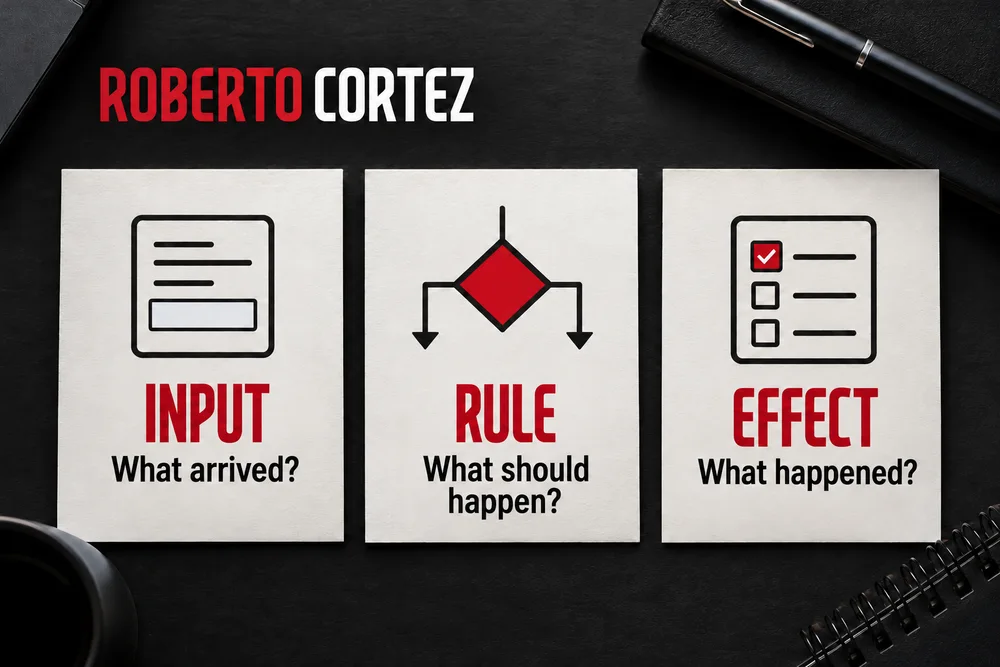
Confirm what happens before and after a failure
Follow the request through the stages and establish when its information is checked. If an essential condition fails, inspect whether any dependent action has already occurred. The test must distinguish a controlled rejection from a run interrupted halfway through, because both can display an error while leaving very different consequences for the team handling the requests.
Imagine the contact field is empty, but the automation first creates a sales task and only then tries to prepare a reply. The run may end with an error in the second stage, leaving a task with no means of contacting anyone. The failure is visible, but the work created before it still needs attention.
There may be a valid reason to retain an incomplete request. If so, the team should see it as incomplete and understand what they can do with it. Avoid having the same input appear ready for follow-up in one system and rejected in another, without indicating which status should guide the next action.
During the test, inspect destinations that could have received changes, even when the run reports a failure. Look for records, tasks and prepared messages in the test environment. The absence of a final result does not, by itself, demonstrate that earlier stages produced no effects.
Also define the unit to which the rule applies. If a file contains several independent requests, it may make sense to separate valid ones from those needing correction. If the elements form one request that depends on the complete set, accepting only part of it could produce a misleading delivery.
The team needs to understand that distinction before choosing the behaviour. “Continue despite the error” is too vague to function as a rule. Write down exactly what can continue, what remains suspended and how the unfinished part is identified by the person responsible for following it up.
When work resumes after correction, confirm that the request retains a recognisable reference. The person responsible should be able to connect the corrected situation to the original problem and understand what remains to be executed. Duplicate prevention deserves separate tests, but it begins with a clear distinction between storing, validating and completing an action.
Test combinations that change the team's decision
After checking each field separately, choose combinations that change the operational decision. Combine conditions with a concrete relationship, such as a stated deadline and an insufficient description, or available contact details and a missing budget. The aim is to discover dependencies between rules without multiplying examples that repeat the same decision or obscuring the origin of a failure.
A request can have every field filled and still lack enough information to proceed. “I want a solution” is text, but it may not explain which service the person seeks. In that case, the test should assess routing for clarification instead of treating the presence of characters as proof that the request is commercially ready.
The reverse can also happen: a complete description allows an initial review even though no deadline has been set. Requiring every field in every situation can exclude requests the team could work with. The rule should follow the real decision, including cases where missing information is acceptable.
Choose combinations from the questions the responsible person needs to answer. Can they assess the request without contact details? Can they evaluate availability without a deadline? Can they estimate work without understanding the intended delivery? Each question justifies a different combination and helps prioritise tests by their operational impact.
Include conditions that seem valid separately but conflict when combined. A date range whose end precedes its start is a simple example. Both dates may have the correct format, while their relationship makes the request inconsistent for that particular use.
If the automation receives lists, also check its behaviour when a list is empty or contains an incomplete element. Decide whether that element can be isolated without changing the meaning of the whole. The answer depends on the process, so it should come from the person responsible for delivery and be expressed through concrete examples.
Preparing these questions is part of understanding a business before automating it. A tool can apply a condition precisely while executing a poorly chosen commercial rule. Testing becomes valuable when it makes that choice open to discussion and verification by the team that will use the result.
Keep the cases so you can retest when the workflow changes
Keep examples and expected results alongside the automation's documentation. Run them again when a relevant source, field, transformation or destination changes. Record the version tested and anything left unverified, so the team can distinguish a current validation from an old demonstration that no longer represents how the workflow operates in its present form and with its current connections.
A small change can affect an assumption used in several places. Renaming a column, adding a form option or changing a date representation may leave part of the workflow interpreting an old structure. Saved cases help check whether decisions remain consistent after that change reaches the automation.
Include the complete reference request when repeating the tests. Fixing the treatment of incomplete input can unintentionally alter the path followed by valid requests. The comparison needs to show that the corrected case works and that previously accepted behaviour has also been preserved.
For each failure, write down the observed behaviour and what should have happened instead. Avoid notes such as “does not work” or “gave an error”, which do not help reproduce the problem. “Missing budget was stored as zero and marked available” describes the difference the team needs to resolve.
When unexpected real input appears, turn the situation into a new fictional case that preserves its relevant structure. You do not need to retain someone's identity to reproduce an ambiguous deadline or an empty list. Add the agreed rule and confirm that the new example becomes part of the next review.
Define who accepts the operational decisions and who verifies their implementation. The business owner should recognise the meaning of “ready”, “incomplete” and “needs clarification”. The implementer should be able to demonstrate, with evidence, that those distinctions survive the transfer between tools.
To explore the relationship between available information and useful decisions, read the guide to AI data analysis for businesses. I would consider this automation prepared for its next stage when the team can explain what happens in the anticipated cases, repeat the tests and clearly identify the limits that still require validation.