

A process can appear ready because every field is filled in and the message has already been written. That demonstrates there is material to work with, but it does not establish whether the company wants to execute that action at that moment. The difference becomes visible when a draft becomes a sent message or a suggestion becomes a change in an external tool.
I would begin by locating that transition. There is work the automation can organise without making a new decision, such as collecting data, preparing a summary or showing a proposed response. When it reaches the point of producing an effect, it needs to respect the authorisation defined for that process.
It also makes little sense to request new confirmation for every task already covered by a clear rule. The aim is to place human involvement where a decision still needs to be made. For that to work, the team must know the boundary between what the system may execute independently and what it should present before continuing.
Locate the first action that produces an effect beyond preparation
Walk through the process and identify the first step that sends information, changes a record or makes a commitment to another person. Describe that effect in concrete language. When the action is not yet authorised, confirmation needs to happen before this step, allowing the proposed outcome to be assessed while it can still be changed or refused.
Consider a fictional example: a company uses an automation to gather commercial information and prepare a service proposal. The system organises the scope, produces a document and writes a message for the client. Up to this point, it may be preparing internal material that a person still needs to review.
Sending the proposal changes the situation. The client receives commercial terms and may make decisions based on them. The question is no longer only “is the document well written?” but also “is this the proposal we want to present, to this person and at this moment?”.
Map the sequence using specific verbs. Collect, summarise, prepare, review, send and update represent different actions, even when connected within the same workflow. A vague description such as “handle the proposal” can hide several decisions inside one stage and make it difficult to identify where the process should wait.
Not every effect is visible to an external recipient. Changing an opportunity's status, reserving capacity or marking a request as complete can also guide other people's work. Identify who will rely on that change and what they may do next as a result of the information it presents.
The impact depends on context. Correcting an internal display field does not necessarily have the same effect as changing a document's recipient or a proposal condition. Avoid classifying every operation by the name of the tool; assess the action and the consequences it produces within that particular process.
This mapping should involve people who understand the actual work. The commercial team knows what presenting a condition means; operations knows which commitments it can fulfil. The person implementing the automation needs those decisions to build the workflow without having to invent them from the fields available in the system.
Define what is already authorised and what requires a new decision
Write down the conditions under which the automation may proceed and the situations that must return to a person. Prior authorisation can cover repeated tasks within defined limits. When a request falls outside those limits, information is missing or a relevant condition changes, the process should present the exception instead of expanding its own authority.
In the proposal example, the company may allow the system to prepare documents from approved internal materials. That does not mean every document produced is authorised for sending. Preparing and sending are different capabilities, and the rule should show where the commercial decision enters the process.
Other processes may already have sending authorised under a stable rule, such as a predefined operational communication for a specific event. In those cases, the question is whether that particular request actually matches the established conditions. The existence of a rule does not remove the need to check whether it applies to the case received.
An exception should be described in terms the team can recognise. A different recipient, incomplete material, unforeseen conditions or a change after review may require another decision. Avoid writing only “request approval when there is risk”, because different people may interpret that expression in different ways during everyday work.
It also matters to define what the system can continue doing while it waits. It might collect a missing attachment, update a summary or prepare a comparison, provided those actions are authorised and do not prematurely execute what remains undecided. Waiting for a decision does not necessarily require all independent work to stop.
The relationship between rules and execution appears in the article on explaining a change made by an automation. A known rule makes it possible to understand what the system does. Here, the additional step is identifying when that rule is no longer enough to authorise the next action.
Record who may approve the exception and the limits of that decision. A person may validate the wording while still lacking authority to change a commercial term. Giving access to a review should not accidentally create the power to decide everything displayed on the same screen.
Show the responsible person the concrete action that will happen
Present the content, destination and effect of the action so the person can decide without reconstructing the process. Explain what is ready and what still needs confirmation. A generic request to approve an automation is insufficient when the actual decision concerns a particular proposal, a specific recipient and the conditions being presented to that recipient.
In the fictional example, the responsible person needs to see the proposal and its accompanying message. They should be able to identify who will receive the document, the scope included and any condition requiring attention. If the summary hides an attachment or an important exclusion, review may appear complete without covering the material that will be sent.
The information should be sufficient for the decision and organised by importance. Dumping every piece of collected data can make approval as difficult as showing nothing. Start with what will happen and allow access to the supporting material, preserving the context needed to assess questions or uncertainties.
Distinguish received facts from suggestions produced by the system. If a condition was inferred from a conversation, the person should understand that it still needs confirmation. A sentence written confidently by AI does not turn an assumption into a decision made by the company.
The request should offer useful alternatives. Approving, requesting a change and refusing have different effects on the workflow and need to be understood. An interface that only offers “continue” can push someone towards an action without clarifying what continuing means at that particular point in the process.
The system should verify the authority of the person deciding and associate the decision with the relevant content of the action. This verification belongs on the server, not merely in the appearance of a button. If the approved object changes, execution needs to check again that the decision remains applicable to what will be done.
For the team, the practical consequence is straightforward: people approve what they can identify. In our example, they are not approving a vague intention to “speak to the client”, but a concrete proposal and how it will be presented. That clarity supports accountability without requiring the reviewer to understand the technical implementation.
Keep waiting as a state with an owner and a next step
When confirmation is missing, show that the process is waiting, who should decide and which information allows it to proceed. Define how unanswered requests are followed up and how the responsible person's absence is handled. Silence should not become implicit approval, and pressure to finish the task does not replace the decision that remains missing.
In the proposal example, the responsible person may be absent or need to clarify a condition with operations. The system should preserve the request and make that situation visible. Marking the proposal as sent simply to remove it from a list would create false information about the state of the work.
The team needs to distinguish “not yet reviewed” from “reviewed and needs correction”. In the first case, a decision is missing; in the second, there is guidance for the person who prepared the material. Mixing both situations into a generic pending list makes it harder to see who owns the next action.
If a substitute exists, the rule should clarify when they may take over and what authority they receive. A person's absence should not be addressed by sharing access or approving in someone else's name. The record needs to continue showing who actually made the decision that allowed the process to proceed.
You should also decide how to handle requests that are no longer current. A proposal prepared before a project change may need fresh preparation even if nobody has refused it. Time can change the context, and the process should allow the request to be explicitly withdrawn or updated.
Reminders should help people find the decision without becoming a sequence of identical alerts. A useful notification identifies the request, what is missing and where the material can be consulted. There is no need to distribute the complete data across every channel merely to remind someone that work awaits review.
A confirmation queue only works if there is capacity to manage it. If every request is concentrated on one person who has no time to assess it, the automation has simply moved the delay elsewhere. Observe how this works and review the distribution of responsibilities within the authority defined by the company.
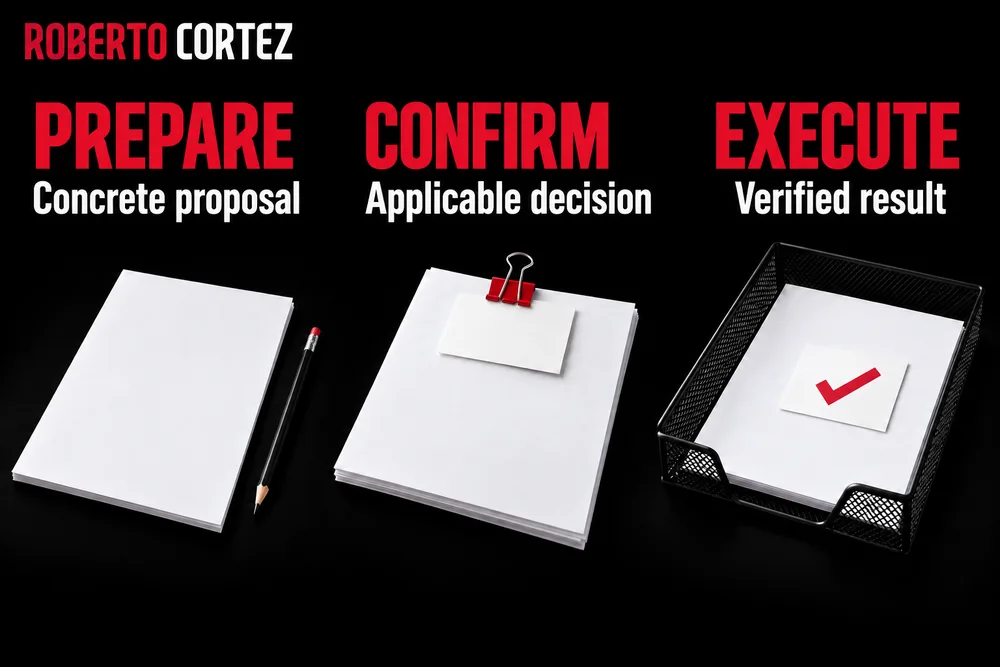
Confirm again when the object of the decision changes
Confirmation is only useful while it corresponds to the content and conditions that were assessed. If the recipient, document or another relevant part of the action changes, check the necessary decision again before execution. Preserve the history, but do not use an old approval to silently justify an outcome different from what the person actually saw.
In the fictional example, the responsible person may approve a proposal and someone may later replace the attachment with a corrected version. The correction might be small or might alter the scope presented. The process needs to identify that difference instead of assuming every file with the same name represents the same decision.
You do not need to require the team to restart all preparation whenever something changes. You need to know what changed and which part of the review is no longer valid. A new confirmation request should present that change so the person can assess its effect without repeating unnecessary work.
Context can also change without the document being edited. The client may have asked to postpone the conversation, or operations may have identified a dependency that prevents the plan from being fulfilled. Before execution, the team should be able to remove the proposal from the workflow when it knows the proposal no longer fits the current situation.
Approval and sending are not the same event. There may be an interval between them, with other requests arriving and information changing. The process design should account for that interval and avoid treating a decision valid at one moment as permanent permission for any later execution.
It also helps to distinguish withdrawing authorisation from deleting what happened. If someone cancels continuation before sending, the record should show that decision. Preserving the sequence explains why an initially approved proposal was never sent and prevents mistaken interpretations about a possible failure in the process.
This care should be explained to the team through recognisable situations. Changing the recipient, replacing the attachment and changing a condition are clearer examples than a generic request for “version control”. Implementation needs to translate those situations into behaviours people can verify in their daily work.
Test approval and the paths that should remain blocked
Test the complete workflow using fictional examples before connecting it to real effects. Confirm that valid approval permits the intended action and that refusal, a missing decision or a relevant change prevents improper progression. The test needs to observe the outcome, rather than merely checking whether an approval message appeared somewhere on the screen.
In the proposal example, prepare a test request without client data or a real recipient. Walk through preparation, review and attempted execution in a controlled environment. The team should be able to demonstrate that it can identify the material assessed and the decision that allows the process to continue.
Then repeat the workflow without approving. The automation should remain in the intended state and indicate what is missing. If it proceeds because time passed, because the responsible person opened the request or because the system received an arbitrary comment, the confirmation rule is not working as defined.
Test a refusal and a request for changes as well. In the first case, the refused action should not proceed to execution; in the second, the preparer needs to know what to correct. Check whether the new version returns to the appropriate decision point instead of automatically inheriting approval given to different content.
Include an attempted decision by someone without the required responsibility. Access to the request should not allow that person to exceed the limits of their role. The test should confirm the system's actual behaviour even when the attempt does not follow the usual route through the interface.
An interruption during confirmation also deserves attention. If the connection fails, the person needs to be able to check whether the decision was recorded before trying again. The process should make it possible to clarify the state without assuming success simply because a button was pressed.
This work complements testing an automation before handing it to the team. Here, attention is concentrated on the transition between decision and execution. A demonstration where everyone approves immediately does not prove that the waiting, correction and refusal paths are protected as intended.
Confirm the result and review where human involvement adds value
After valid confirmation, verify what the automation executed and present that outcome separately from the earlier decision. Approval does not mean the action finished successfully. Use follow-up to understand whether review points clarify relevant decisions or merely create a sequence of poorly informed clicks for the team as it tries to complete the work.
In the fictional example, the proposal may be approved while sending fails. The state should distinguish that situation from a proposal still awaiting review or one already delivered to the intended destination. The person managing the client needs this information to decide the next step without sending again based on an assumption.
When the result is uncertain, begin by checking what happened at the destination. Another attempt made without that care may repeat an action that was already executed. Human confirmation resolves the decision to proceed, but it does not remove the need to monitor execution and deal with failures.
Observe the quality of review as well. If people always approve without opening the material, context, time or a real decision may be missing. Ask what they need to assess and adjust the presentation to make that assessment possible, without removing a responsibility that remains necessary merely for convenience.
Some stages may become well defined and the company may decide to authorise them in advance within limits. Others may require more attention after exceptions appear. That review should result from an explicit process decision, rather than the system deciding by itself to dispense with confirmations because they were granted several times.
Before implementation, it is worth gathering the necessary information about the client and process. Decision-making authority, dependencies and the effects of the action are part of that assessment. Without them, a good interface can conceal a rule that nobody actually agreed.
The guide to business process automation helps place this choice within the complete workflow. The aim is to let automation prepare and execute under known conditions, with a useful pause when a decision is missing. The person should understand what they authorise, and the team should be able to confirm what happened afterwards.