

Imagine a fictional company using the same service to register new enquiries, update records and prepare an internal report. Each automation works when tested on its own. At the beginning of the day, however, all three start and some operations remain unfinished, even though none of the people responsible has changed their workflow.
Looking at each execution separately leaves part of the explanation out of view. The company needs to understand how this work comes together in the shared service and which tasks should be handled first. That decision combines technical information about capacity with operational knowledge of what happens when each task has to wait.
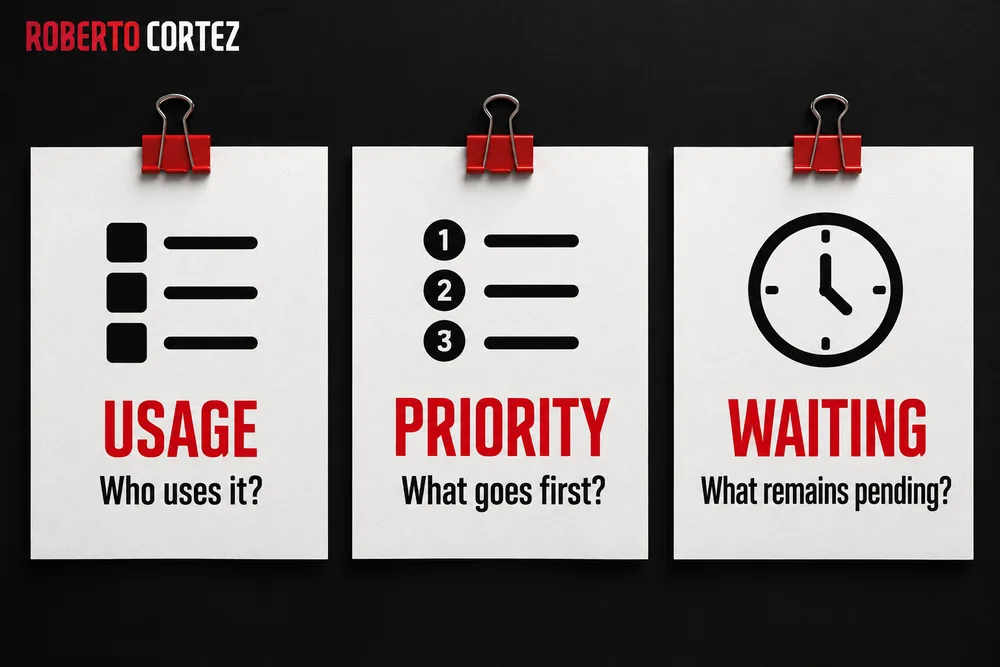
Establish where the limit is actually counted
Check the service documentation and configuration to establish what the limit applies to: an account, project, user, resource or operation. Distinguish volume per period, simultaneous work and contracted usage. A connection displayed in your automation tool may share capacity with other connections, so its name in the dashboard does not establish the scope of capacity management.
Ask the person implementing the system for an explanation applied to your situation. Which activity contributes to the same count, and where can that usage be observed? The answer should identify the service and the relevant rule, keeping credentials out of the document that the team uses to monitor the work.
A limit on requests per period answers a different question from a limit on simultaneous operations. There may also be a balance or contracted allowance that does not replenish simply because you wait a few seconds. If the team describes everything as “we reached the limit”, it may apply the same recovery procedure to situations requiring different decisions.
In the hypothetical company, updating records may consume capacity also needed to register new enquiries. Another connection created by the reporting team may still belong to the same project. Giving connections different names helps organise the configuration, but does not demonstrate that the provider allocates independent capacity to each of them.
Record when the rule was confirmed and who can review the configuration. You do not need to reproduce all the technical documentation in the operating manual. You need to retain the right reference and know which assumption requires checking again when the plan, identity or method of executing the process changes.
Avoid looking for another key simply to continue doing the same work above the permitted limit. First identify the restriction, organise usage and assess supported options. A legitimate configuration change should be discussed in terms of its effect on the process and the service conditions, with appropriate authorisation for any additional costs.
Make the automations' combined usage visible
Bring together the processes using shared capacity and describe when they start, which operations they perform and who depends on the result. Include scheduled tasks, manual executions and recovery attempts. The aim is to understand all the work reaching the service, rather than evaluating each automation as the only consumer of that connection or resource.
Start by following one case through each process, from its arrival to the last relevant operation. A commercial enquiry may require several lookups before a record is saved. Counting only incoming enquiries does not necessarily reveal the number of calls made, or explain increased usage caused by a change in an intermediate step.
In the fictional company, the report might retrieve data that another workflow has just updated. This deserves investigation, but does not prove waste by itself. The information may serve a different purpose or refer to a different point in time; first clarify the need, then decide whether any work can be shared.
The effort to make the team's automations visible helps uncover forgotten consumers. A task created to resolve an urgent situation may still be running months later. There may also be an integration from another department using the same service without appearing on the list maintained by whoever oversees the first process.
Note when usage coincides and what causes those starts. Several reports may have been scheduled for the same time out of convenience, without an operational need. Changing that distribution may help, provided it respects when the information must be ready and the dependencies between the different pieces of work.
Include behaviour during incidents. Automatic retries, manual resubmissions and the processing of accumulated work also reach the service. An inventory describing only normal operation stops explaining events precisely when capacity becomes more contested and the team needs to make informed decisions about what can proceed and what has to wait.
Set priorities according to the work left undone
Determine the processing order through the consequences of delay, the required deadline and each task's dependencies. Identify work that can wait and situations needing intervention. Priorities should make sense to the team and be reviewed as circumstances change, without allowing a process labelled urgent to prevent every other task from being completed indefinitely.
In the fictional example, registering a new enquiry may be necessary before the team can start responding to the customer. The internal report may tolerate some delay, depending on the meeting where it will be used. This comparison should reflect how results are actually used; the label “sales” or “report” does not determine importance by itself.
Ask what happens if the task finishes later. Who will be unable to work, which commitment will be at risk and what alternative is available? These answers help establish priority without turning every departmental request into an emergency that automatically moves ahead of all the other work awaiting the same service.
Dependencies can also constrain the possible order. If the response to the customer depends on an updated record, prioritising the response without preparing the necessary information may not resolve the delay. The technical team needs to understand that relationship so execution respects the path of the work, rather than just a priority label.
Pay attention to tasks that are repeatedly postponed. An update that could wait one morning may become necessary after several deferrals. Define how time spent waiting changes its treatment and when a person should reconsider the decision, instead of letting the queue depend entirely on the arrival of work classified as more important.
The person responsible for the automation should understand the commitments associated with all the processes involved. Where different people own different processes, agree who resolves conflicts between priorities. That decision should not be left implicit in the order people click buttons or in each team's ability to keep trying more often.
Give waiting work a deadline and a destination
Every deferred request needs to retain its identity, the reason it is waiting and the condition for reconsideration. Define how long it remains useful and who handles cases that exceed that deadline. Waiting should be a visible work status, with monitoring and recovery available, rather than a missing result that nobody can explain.
A queue helps organise work that should not proceed immediately. To support operations, it should show what remains to be done and prevent an interruption from silently losing requests. Ask the technical team to demonstrate how it preserves that state and distinguishes received, started, completed and escalated work in the actual process.
The useful deadline depends on the result. A report prepared after the meeting may no longer serve its original purpose, whereas a record update may still be necessary. Decide whether delayed work should be completed, replaced with a more recent version or sent for review; do not assume that every task retains its value indefinitely.
In the hypothetical company, the waiting internal report should identify the period it is intended to represent. If execution happens later, its recipient needs to know whether the information covers the intended period or a different reference point. Recovery must not silently change the meaning of the result simply because the available data has changed meanwhile.
Growth in waiting work also needs limits. When tasks arrive faster than they can be processed over an extended period, adding a queue merely makes the accumulation visible. Define the signal that requires reducing intake, postponing planned work or requesting a decision about the capacity needed to meet existing commitments.
The manual alternative must update the same tracking information. If someone registers the enquiry directly in the destination system, that result must be linked to the case before automatic processing resumes. Otherwise, the company may resolve the immediate delay while leaving the automation ready to repeat an action that a person has already completed.
Coordinate retries when the service asks you to slow down
When a request is rejected because of a limit, retain the reported cause and apply the handling prescribed for that service. Coordinate retries across processes sharing capacity, with defined waiting periods and an intervention point. Before repeating an operation with possible effects, also establish whether the previous attempt was not executed or has an uncertain result.
Status code 429 indicates excessive requests, but does not by itself identify the counting rule used by the provider. Some services report quota causes under other codes. Read the associated information and verify its documented meaning, rather than classifying every failure with the same number as an access problem or a capacity problem.
If a Retry-After indication is present, handle it according to the format received: it may specify an interval in seconds or a date. Respect the indicated wait. That point guides the next attempt, without guaranteeing that capacity will be available when it happens; the new response still needs to be interpreted.
The technical team can use increasing intervals and variation between attempts to prevent every process returning at once. There should be a retry limit and a destination for work that still cannot proceed. Repeatedly requesting the same operation may increase the load instead of resolving the interruption affecting the service.
Ask for the policy to operate at the actual scope of shared capacity. If each workflow independently decides when to retry, their combined activity may remain excessive. The specific implementation depends on the tools, but the expected behaviour should be clear: compatible decisions across consumers and visibility into tasks still waiting for an opportunity to run.
Do not confuse an explicit rejection with a response that never arrived. A timeout does not prove that an action was left undone. Recovery should check the state or use the safe retry mechanism supported by the destination before risking another execution of an effect that may already have occurred.
Reduce calls that add no useful work
Review repeated lookups, updates without changes and steps that collect information without using it in the result. Confirm the need before removing work and preserve checks that ensure correctness. Reduced usage should maintain the intended behaviour, with clear criteria for data freshness and for situations in which the service must be queried again.
Start with the path of a complete request. Observe which information is read at each stage and why it is requested again. There may be an opportunity for reuse within the same execution, but only when the information remains valid for the decision and access is still appropriate to the context.
A lookup that appears repetitive may protect against a change that happened in the meantime. Before removing it, ask which error the check helps prevent. The purpose of the review is to remove work without value, not to lower a counter at the expense of sending an outdated response or acting on a record that has changed.
In the fictional example, the report may need only records changed since the last confirmed execution. That possibility must be checked against the tool and the reporting criteria. You need to know how to identify changes, handle corrections and recover an interrupted execution, without assuming every service provides the same mechanism.
You can also review how often a task runs. If nobody uses the information between two meetings, continuously refreshing it may add no value. Check whether another process depends on that data, however; the decision should consider actual users, including those who receive information indirectly through an integration elsewhere in the company.
After a change, compare equivalent results and check known exceptional cases. Fewer calls represent an improvement only if the necessary work remains correct and available at the appropriate time. Record what changed and why, so the next person does not add lookups again because they do not know the criterion behind the simplification.
Test capacity distribution without affecting customers
Prepare a controlled exercise in which several processes request work at the same time, including priority tasks and deferred work. Simulate the restriction without imposing excessive load on the live service and observe what happens to each request. Validation should show the processing order, preservation of waiting work and intervention when a useful deadline cannot be met.
The team can start by simulating limit responses in the test environment. The purpose is to observe the workflow's reaction without creating an outage to discover whether alerts work. When validation with the provider is necessary, define an appropriate environment and permitted usage, proportionate to the question the test needs to answer.
Include a situation where new work arrives while previous work remains unfinished. Confirm that the agreed priority is respected and older requests remain tracked. A test receiving only an initial batch does not demonstrate behaviour when requests continue to arrive during recovery and several teams are waiting for different results from the same capacity.
Also test manual intervention and the suspension of one consumer. Check whether the others continue according to the intended rule and whether the work status remains understandable. The team should be able to explain what has finished, what is awaiting capacity and what needs confirmation before any further attempt can proceed.
When testing an automation before handover, add these shared-usage cases to individual tests. A successful isolated execution remains important, but does not demonstrate how the process behaves when other legitimate tasks use the same service under the conditions in which it will actually operate after being handed over.
Record expected and observed results using test references, without copying real customer data into the report. If the tool cannot coordinate consumers adequately, that limitation should be explicit at handover. The next decision may be to reduce scope, revise schedules or choose another implementation, with the consequences understood by the person responsible for the process.
Review capacity using evidence and a business decision
Track completed work, time spent waiting and affected deadlines when reviewing available capacity. Distinguish occasional peaks from persistent accumulation and compare options with the process owner. Increasing capacity, changing schedules or reducing tasks should address a demonstrated need, with costs and limitations understood before making changes to the operation and its existing commitments.
A usage dashboard helps locate the restriction, but does not explain the business impact by itself. Add operational questions: which requests were left untreated, for how long and with what consequence? That information helps determine whether to correct an inefficient execution, reorganise work or prepare additional capacity for a demonstrated requirement.
In the fictional company, postponing the report may be sufficient during an occasional peak. If it consistently misses the time when it is needed, the solution no longer meets its objective. The owner needs to review the full set of commitments and choose a change, rather than normalising delays just because the system is still running.
Compare alternatives by the work they preserve and the effort they introduce. A different schedule may require a different team routine; simplification may reduce detail; extra capacity may bring costs without resolving another operational limit. Each option deserves a concrete description, without assuming that the easiest configuration change is the best choice for the business.
The design of business process automation should include this management after handover. When another automation is introduced, review dependencies and combined usage before treating it as free capacity. Approval of the new process should consider its effect on work already being performed and on the commitments supported by existing processes.
I want the team to be able to explain clearly why a task is waiting, what priority it has and who is tracking its completion. That knowledge makes shared usage more manageable. Capacity decisions can then reflect the work the business needs to deliver and the evidence of what its systems can actually perform.