
On getting started with Claude Code, I demonstrated the process on a computer that still needed preparation. Installation and permission issues took time away from the project. My takeaway from that episode is simple: check the environment before the session and arrive with a small, clearly defined task.
Subscription and Requirements Before Starting
Check access and installation options in the official Claude Code documentation. Eligible subscriptions and other access methods, such as Claude Console, are available. The recommended native installer does not need Node.js to run Claude Code itself; your project may require its own dependencies.
In the recording I discussed my experience with different usage limits. That comparison describes the conditions of that particular demonstration. When choosing access, check the applicable terms and monitor your own workload: a short review session and a more extensive build can require different resources.
If installation fails, keep the error message and consult the instructions for your operating system. Avoid trying to solve a permissions error by granting administrator access to everything. First understand which component failed and which permission is actually necessary to continue.
To prepare your next step, explore Developing applications with AI.
Isolating the Project Folder
Never open Claude Code inside your general user folder. Create a new, dedicated folder for that project, and only then open the terminal inside it. I demonstrated this live: I created a folder called "cloud test" and only proceeded once the terminal asked whether I trusted that specific folder.
A dedicated folder keeps project files organised, but is not a security boundary by itself. Available actions depend on permissions, connected tools and the environment’s configuration. Review those access rights and keep documents and credentials that are unnecessary for the task outside the project.
The Risk of Exposed API Keys
If you connect advertising, email, or database APIs to your project and those keys end up written directly into the code, anyone who sees that published code has direct access to those resources. I talked about cases I've seen circulating of ad accounts being drained after someone published a project with API keys visible in the source code.
The minimum you can do is ask Claude Code itself to review the project for security flaws and confirm no key was left exposed in code published on GitHub. This is the minimum, not enough on its own: if the project involves data that should be private, it's worth bringing in someone with programming knowledge before making it public.
Testing on Local Host Before Publishing
During development, use a local environment and check how the server is exposed. A service bound to a loopback address such as 127.0.0.1 differs from one accessible over the network or through a tunnel. Before sharing an address, verify access controls and the data being displayed.
I made this clear: I built an entire landing page during the demonstration and kept it strictly on local host, never publishing it to GitHub or Vercel, precisely because I was live and didn't want to risk exposing my own keys. Platforms like Vercel and Netlify make publishing so easy that the security step sometimes gets skipped: once online, that's where automated crawlers scan the internet looking for vulnerable subdomains.
Explore this decision further: How to Test an Automation Before Handing It to Your Team.
Using Plan Mode for More Complex Requests
When your request to Claude Code is too vague, it can alter parts of your project without asking first. Turning on plan mode forces the tool to show what it intends to do before writing anything. This habit lets you review and reject suggestions before any changes apply to your code.
One participant gave a concrete example of this: they made a request and Claude Code interpreted it as a change to the page, editing it without confirming first. This happens when the request is too open-ended, and in those situations it's worth turning on plan mode, something like: "I want to be in plan mode now, don't execute, plan first, and only then ask me to edit." This gives you room to reject suggestions before any change is actually made.
Explore this decision further: How to plan a Claude Code app: brief and validation.
What to Build in Your First Session
A simple first project, like a landing page or a form, is enough to understand the rhythm of requesting, reviewing, and approving before risking anything more complex. I built a landing page live for the session itself, starting with a simple request: collect name, email, and phone, using the colors and typeface of an existing site as reference.
I then made incremental adjustments: highlighting the form, turning the questions into a multistep form, and even a progress bar that rises faster at first to give a sense of progress. Each request consumed a visible percentage of usage quota, which I tracked throughout the session. This is just an example of the kind of exercise you might try in a first session, not a fixed recipe to follow exactly.
A request you can bring to your first session
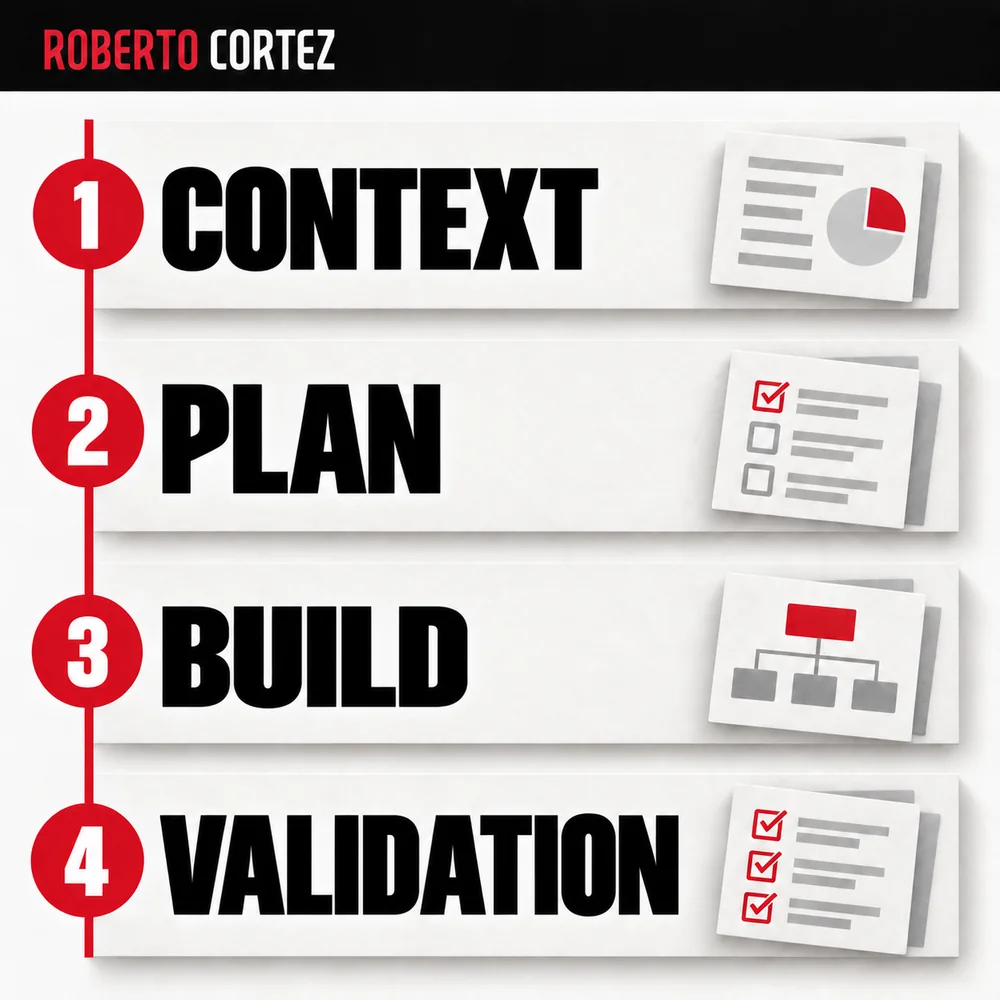
Imagine you want to organise incoming sales enquiries. Before asking for code, write down where those enquiries arrive, who reads them, which information is usually missing and what happens next. Include a fictional example with the fields you need, without real customer names, contact details or personal data. You now have concrete material for discussing the application’s structure.
Next, explain what you want to be able to check at the end of the first session. That might simply mean opening a page, recording a test enquiry and seeing its status. This small objective helps you assess whether the agent understood the process before asking for integrations with other systems.
Finally, identify what still needs your decision. If you have not chosen where to store the data or who should have access, write that down. Ask the agent to identify those decisions in the plan and explain the consequences of the options. You can then review the proposal against your business needs and confirm the next step with a clear understanding of what will be built.