
I applied this process to a concrete case: a predictions app for the 2026 World Cup, built for fun with friends. It has scoring rules, public profiles, a quiz, and connects to external match data. The decisions I made there work as an example for any internal tool, whether it's a CRM, a control panel, or an app to support an event.
When we start using AI-assisted coding tools, there's a natural temptation to jump straight into the console and watch things appear on screen. But coding without first thinking through what you want to build usually creates rework: you realize halfway through that a rule was missing, you end up rewriting entire sections, and you spend more time than if you'd just stopped for five minutes beforehand.
For anyone who wants to go beyond asking a chatbot questions and start building tools for their own business, it's worth also looking at how to use AI in your business beyond the chatbot. But building internal software with rigor, rather than just prototypes nobody ends up using, requires this planning step before touching any code.
Define how the business actually works first
Before thinking about screens or buttons, write in your own words what the app needs to do and what rules govern each action. If you just ask for "a management app," the model will fill the gaps with generic assumptions that don't match your actual work.
On the predictions project, I started by describing the scoring logic: if a user guesses the exact result of a match, they earn six points; if they guess the trend plus one team's goal count, they earn four; if they guess only the trend, three points; if they miss the trend but get one team's goals right, one point. Without this detailed description, the tool would have invented some arbitrary logic of its own.
There were other important conditions to describe as well:
- Lock deadlines: submissions close three hours before the first match of each round, with no exceptions;
- "Joker" mechanic: each participant picks one match per round where points earned count double;
- Automatic data: results and kickoff times (in Lisbon time) come from a search the tool itself performs, without me having to enter anything manually;
- Access layers: there's an admin area for managing invite codes and posting announcements, and a more limited member area.
If you try to summarize all this in a single sentence, Claude Code will forget rules or calculate points inconsistently. A simple way to organize your thoughts is to open a plain text document and write down everything you have in mind, in normal everyday language, without worrying about how well it's written. What matters is not leaving any rule out.
To prepare your next step, explore Developing applications with AI.
Let the assistant question your idea
Once you have a written draft, submit it to a conversational model and explicitly ask it to find gaps and questions you haven't answered yet. Instead of asking for code right away, use this phase to force decisions you might not have thought through yet. This is where you avoid a lot of surprises midway through the work.
I work through these questions before executing anything. It's not a fixed list of questions asked all at once: the assistant works through blocks of five or six questions, you answer, and each answer can trigger new questions. When I prepared the app to support an in-person training event, this process involved several hundred questions over the course of a few hours.
A hypothetical example of the kind of questions that can come up: if you were planning an internal CRM, the assistant might ask what happens when a lead goes unanswered for more than a week, or who has permission to delete records. It's exactly these kinds of decisions that, if left unanswered, show up as bugs later on.
When a technical question comes up that you don't have an answer for, don't guess. Explain the business goal and ask for two or three alternatives with pros and cons. The final decision is still yours, but it rests on something more solid than a guess.
Gather the answers into a spec file and split into phases
All the answers you've collected should be consolidated into a single document, often called SPEC.md, which then serves as a permanent reference for the development tools. This prevents important requirements from getting lost along the way and helps control token usage, since it reduces failed attempts.
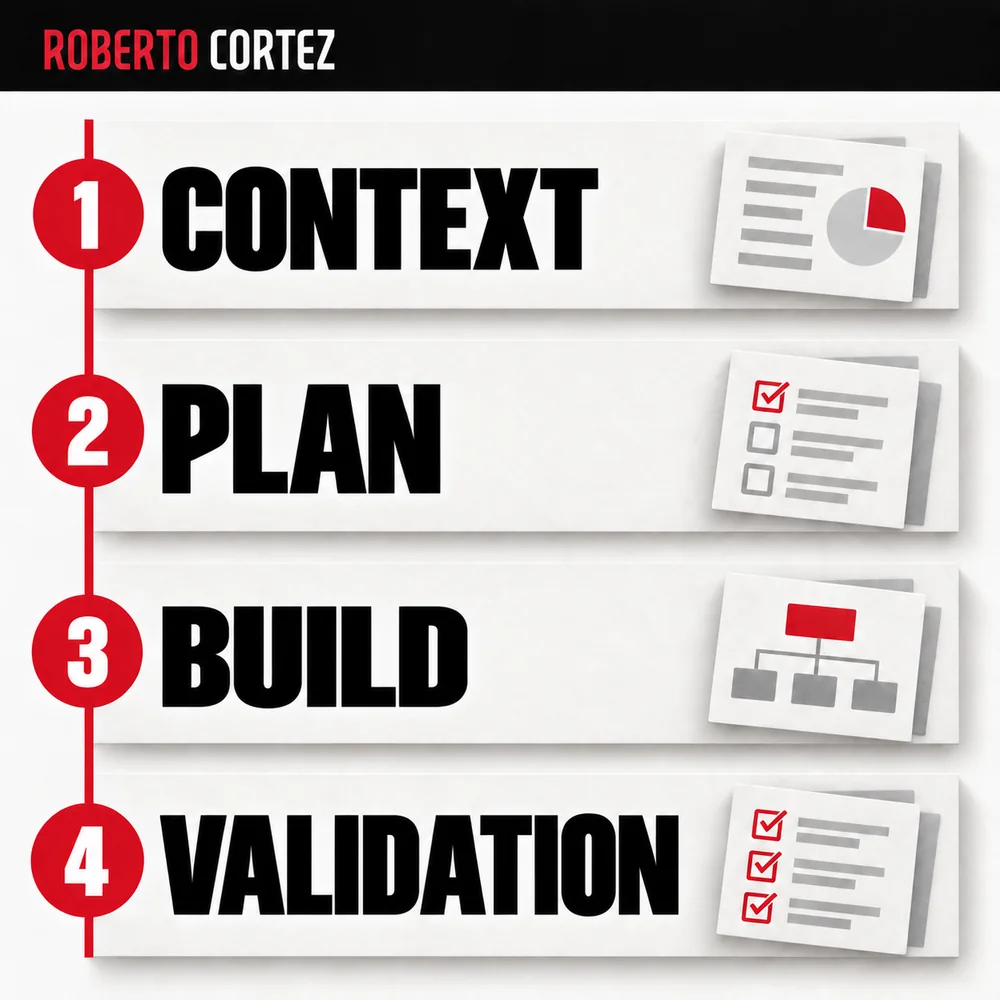
In how I work, I put most of the effort into this planning phase, leaving a smaller portion for building and final polishing. This isn't a guarantee the app comes out bug-free on the first try, but it helps the build phase move forward with fewer back-and-forths.
The spec file should contain, at minimum:
- Goal and scope: what the app solves and who the users are;
- Data structure: what information gets stored and who can read or change each part;
- Technical architecture: what technologies and external services will be used;
- Phased plan: breaking the work into chunks you can test separately.
For the predictions app, the plan was split into several phases: first authentication with invite codes, then the database structure, only after that the scoring logic and the match display. Each phase was tested before moving on to the next. Asking for everything at once tends to make the model lose track of things halfway through.
Give concrete visual references
If you don't specify anything about how you want the app to look, the tool tends to default to generic visual components, the kind you see in a lot of AI-built projects. To avoid that, show concrete visual references and ask that they be analyzed and translated into style rules before construction begins.
On the predictions project, I used a well-known sports results app as a reference. Instead of taking random screenshots, I asked the assistant to inspect that page and document the design parameters in its own file: color palette, corner style used on cards, hierarchy between primary and secondary information, and mobile behavior.
That work was then converted into CSS rules that guided component construction from the start, without needing to rewrite styles halfway through. It's always worth keeping in mind that elements like logos or trademarks belonging to sports organizations shouldn't be copied; the goal is to draw inspiration from the visual structure, not replicate third-party property.
Build with one role as builder and another as auditor
Having two different models editing the same code at the same time tends to create conflicts and lost work. A more stable way to work is to clearly separate roles: one assistant executes and writes code, the other reads the code and points out problems, without authorization to change anything.
In this workflow, I use Claude Code as the main builder and open a second instance, with Codex, purely to audit what already exists. The instruction to the auditor has to be explicit: it can't edit anything on disk, it can only read the project's context files and return a report with suggestions or problems found. I'm the one who then decides what gets passed to the builder to apply.
While building this application, I asked Codex for gamification suggestions based on the existing structure, like profile badges for anyone who guessed several results in a row correctly. A small problem also came up, a YouTube video that wouldn't load because of a content security policy; by passing the exact error message to Claude Code, it identified the cause and fixed the configuration.
Protect credentials before you publish
Putting an app online without checking security is one of the mistakes with the most serious consequences. There are automated systems that constantly scan public repositories looking for exposed API keys, and the fact that a repository was "only public for a few minutes" doesn't eliminate that risk.
Before publishing, it's worth confirming:
- that the .gitignore file excludes files with keys and environment variables;
- that there are permission rules at the database level, so no participant can see or change other users' data beyond what's allowed;
- that fields filled in by users are validated before being stored;
- that usage limits are set on external service accounts, to avoid unexpected costs in case of misuse.
If an access key was exposed, making it private afterward doesn't undo the earlier exposure. Revoke it, create a replacement, and check where it was being used. Handle access credentials and secrets during the build, before putting the application on the internet.
For anyone structuring commercial processes that depend on reliable data, it's also worth looking at how to set up a lead funnel your sales team can actually work with, because the discipline of organizing data before automating is similar.
What to expect from a first version
Planning puts the main decisions in writing: who uses the application, what data it needs, and what it should be able to do. When you find an error, go back to that record to figure out whether execution failed or a rule was left unclear. That gives you a concrete starting point to fix it.
Don't expect the first version of an internal tool to immediately replace processes already in place at the company. The normal path is having a working base, testing it with the people who'll use it day to day, and adjusting over weeks, fixing bugs and adding features as real needs come up.
Learning to structure these planning documents well and to protect what you build is one of the most useful skills at this stage. In the AI Lab and my training programs, I work through this process step by step, from the raw idea all the way to the app in production.
If you're preparing an internal project right now, the next practical step is simple: open a blank document, write down everything the app needs to do without worrying about form, and only then pass it to an assistant to question you before moving on to code.
How to design per-user permissions and test denied access
Designing permissions starts with listing who uses the application and what each person needs to see or change. Once you've defined those roles, you need to directly test whether a user without permission is actually blocked when trying to access something that isn't theirs. It's not enough to assume the rule works just because it was written into the request.
The first step is making a simple list of the existing roles. In a hypothetical customer order management application, you might have three roles: administrator, account manager, and customer. The administrator sees everything, the account manager only sees the customers assigned to them, and the customer only sees their own orders. Writing this down as one sentence per role already helps the AI build the correct rules from the start.
Once the roles are defined, you need to decide where that permission gets applied. It's not enough to just hide a button on the screen. If the rule only exists in the visual layer, someone with technical knowledge can bypass that barrier and access the data through a direct request to the system. The permission has to be checked also at the point where data is stored and delivered, not just in what appears on screen.
In the hypothetical order application example, this means that when the account manager requests the order list, the system has to automatically filter by the customers assigned to that manager, even if they try to request another customer's order through a direct link. If the system returns that order just because the link was guessed, the permission has failed, even though the normal screen hid that option.
To test this in practice, create test accounts for each role before considering the application finished. Log in with the customer account and try to open another customer's order through the direct address, without going through the normal menu. Log in with the account manager account and try to see customers who aren't assigned to them. If you manage to access something you shouldn't, you've found a flaw before a real user finds it by accident or curiosity.
A simple criterion for deciding whether a permission is properly built is to ask: if I copy this page's address and send it to someone without that permission, what happens? The correct answer is an access denied message, not content that's merely hidden because there's no visible link to it. This difference is what separates a genuinely secure application from one that only looks secure because nobody tried the wrong path.
When you ask the AI to implement these rules, explain the expected outcome for each denied-access case. Instead of just saying "only the owner can see the order," ask that another user's access attempt result in a clear message and a log of what happened, so you can later confirm the rule was respected. Asking the AI for a list of the points where the permission is checked helps confirm it didn't stay only on the screen.
It's worth repeating this test whenever you add a new feature that touches sensitive data, even if the permission was already working before. A change in one part of the application can unintentionally open a new path that bypasses the rule defined for another part. This care ties directly into the planning and security review work I describe before publishing any project, including the work I do at Laboratório da IA and in my training courses.
How to organize a security review without trusting the AI's own opinion
A security review only works if it produces a list of concrete checks, done one by one, rather than a generic AI response saying everything is fine. You need to test credentials, permissions, and access as if you were an outsider trying to get in without authorization.
The first step is separating opinion from verification. If you ask the AI "is this secure?" and it answers "yes, it looks secure," that tells you nothing. You need to ask for a list of specific points: where credentials are stored, whether they show up in code or in files that could end up public, what permissions each user has in the database, and what happens if someone tries to access a resource they shouldn't.
Imagine an internal app for managing vacation requests. Before publishing it, log in with different employee accounts and try to view another person's requests. Also test the routes directly and check where the credentials are stored. A hidden admin screen doesn't prove that data access is protected.
Once you've identified those questions, ask the AI to check each one individually and show you the result, not a summarized conclusion. For example, ask it to list every point in the code where user data is accessed and confirm whether each one validates the requester's identity. If the answer comes back vague, insist on concrete code examples, with the specific file and line involved.
A simple criterion for deciding whether a check is complete is being able to repeat the test yourself, without the AI. If it says the database permissions are correct, log into the platform where the database is hosted and confirm it with your own eyes. If it says credentials don't appear in the repository, check the file upload history too, not just the current state.
Another thing to verify is the separation between public and private information. In an app with an admin area, confirm that private screens require authentication before showing any content, and that this check happens on the server, not just on the screen the user sees. A check that only exists on the visible side can be bypassed by someone with basic knowledge.
It's also worth testing what happens when things go wrong. What does the app return when someone tries to access it without a session started? Does an error message appear that reveals internal details, like the type of database or the table structure? Overly detailed errors can help someone find flaws they otherwise wouldn't notice.
After this list of checks, do a second pass with someone who wasn't involved in building it, even informally. An outsider tends to try paths that the builder never thought to test, precisely because they don't know the assumptions made during development.
This kind of review connects directly to the planning work done before coding starts. If the permission and access rules were clearly defined in the initial document, the security review has a clear basis to confirm whether they were followed. If they were left unspecified, the review ends up uncovering decisions that should have been made much earlier.
Plan for what happens if something goes wrong before you publish
Before putting any application online, you need to decide what happens when something fails. This includes saving copies of data, knowing how to roll back an update, and confirming who can act if the system goes down. Without this plan, a small problem can turn into a crisis with no quick solution.
Imagine, as a hypothetical example, a small company using an internal application to manage customer orders, built with help from Claude Code. Before publishing, someone has to answer simple questions: where is the data stored, how often are backups made, and who has access to restore them. If these answers don't exist, the application might work fine day to day and fail exactly when it's needed to fix a serious error.
The first step is to set the backup frequency according to the pace of the business. An application that logs orders several times an hour can't rely on a backup made once a week. In this hypothetical example, it would make sense to ask the team how many hours of work would be acceptable to lose in a worst-case scenario, and use that answer to decide the interval between backups.
Once the frequency is decided, you need to confirm where those copies are stored and who can access them. Keeping everything in the same place as the main application is a risk, because a problem affecting the system can also affect the backup. Separating backup storage from the production system is a decision that should be written down in the planning document, alongside the other project rules.
Publishing itself also requires a recovery plan, not just backups. If an update introduces a bug, the team needs to know how to go back to the previous version without relying on trial and error in the middle of a crisis. This can be as simple as saving previous versions of the code before every major update, and testing that rollback process beforehand, so problems aren't discovered only when things are already urgent.
Another point to decide is who is responsible for acting when something fails outside normal working hours. In a small company, this might be a single person; in a larger team, it might require setting up shifts or at least one emergency contact. What matters is that this responsibility isn't left implicit, because in stressful situations nobody wants to waste time figuring out who should handle it.
It's also worth testing the recovery process before the application is in real use, rather than just trusting it will work when needed. In the hypothetical example of the order management application, this would mean simulating data loss in a test environment and confirming that the backup can be restored without unexpected losses. Only after that test can the team trust the plan.
These decisions should be recorded in the same document where the operating rules and application permissions were recorded, as I mentioned before. Separating security planning from the rest of the project increases the risk of it being forgotten once the application is published and running without visible problems. It's precisely during that calm period that teams tend to relax their attention on backups and recovery.
Finally, this care doesn't replace the security review I already mentioned, covering credentials, database permissions, and separation between public and private information. These are different layers of the same work: one protects against unauthorized access, the other protects against loss or corruption of information. Both need to exist before any application moves into real business use.
A brief to complete before opening Claude Code
Complete a short brief covering the goal, users, data and rules the first version must respect. Mark uncertainties rather than resolving them through assumptions. Use the document to guide the assistant's questions and, at the end, to check whether the application does what you actually decided to build for its users.
Copy this structure into your working document and replace the fields with your project's context. An empty field is an unresolved decision; it should not automatically become a choice made by the tool.
- Problem: what task exists today, who performs it and what difficulty should be resolved?
- First version: what complete journey must work and what can wait?
- Users: who may sign in, see each data type and change each record?
- Data: where does it come from, which fields are necessary and which are private?
- Rules: what conditions permit an action and when must it be refused?
- Integrations: which external services are necessary, and who authorises operations and costs?
- Validation: which example demonstrates correct behaviour, and which forbidden attempt must fail?
- Recovery: who follows up failures, where are backups kept and how do you return to a working version?
After completing the brief, ask the assistant to list contradictions and unresolved questions without implementing yet. Choose a small step you can test and record the decision. Review the result against the written rules, including the operations the application must refuse.