
On Sextas Ímpares #146, I talked about different ways of using AI and what changes when we start applying it to the everyday processes of a company. The practical question that matters to a business owner is simple: where can this technology help you work better, without inventing needs that don't actually exist?
Choose a problem you already know well
The right starting point is a repetitive task you already fully master, with clear inputs, steps and expected outcome. Only then can you tell whether a wrong answer is the tool's fault or whether the process itself was already confusing to begin with.
Look at your week. Is there information you copy repeatedly from one place to another? Do you always prepare the same kind of report before a meeting? Does the team spend time putting together sales proposals that always follow the same structure? These are good candidates because you know the implicit rules of the process and can check whether the result is correct.
In the broadcast, I argued that our ability to understand what we actually need becomes more important as it gets easier to build technical solutions. Real execution difficulties still exist, but a sophisticated tool won't help much if nobody can precisely explain the problem they want solved. Pick one small task and stabilize it before moving on to the next.
To prepare your next step, explore AI agents for businesses.
Give continuity to your business context
If every conversation with AI starts from zero, you'll keep repeating the same information about the business: who the customer is, what you sell, how you communicate and what you don't want to promise. Gathering that context in one fixed place saves time and helps keep answers consistent across different people on the team.
That context can include service descriptions, frequently asked questions, criteria for qualifying customers or rules for preparing a proposal. The idea isn't to hand over everything at once, but to give only the information needed for each specific task. This also helps create communication consistency, something I already explored in the article about building a leads funnel the sales team can actually work with.
Define what the assistant can answer with the information available and when it should ask for help. If it's preparing a proposal with prices or terms, indicate who reviews it before sending. The team needs to know where automatic preparation ends and their decision begins.
Organize your data before asking for conclusions
AI doesn't fix disorganized, duplicated or badly labeled information sources within a company on its own. Asking for reports or forecasts based on dirty data just produces wrong conclusions that look convincing, which is more dangerous than having no report at all.
In the broadcast, I spent part of the conversation precisely on the importance of organizing information before analyzing it with AI, using as an example the crossing of sign-ups from an initiative with an existing contact database. Without consistent records, it becomes hard to tell genuinely new contacts apart from people already in the database.
Before automating any analysis, it's worth following a few simple steps:
- Standardize how tags and order statuses are written.
- Clearly define what counts as each metric (what is a new lead, what is a sale, what period you're comparing).
- Remove duplicates and confirm that identifiers like email or customer number are consistent across databases.
- Manually check a sample of cases before trusting the automated processing.
Only once the input data is reliable does generating reports or dashboards become fast instead of risky. This clarity around metrics also matters for anyone who wants to grow an online business without compromising margin.
Connect AI to processes with clearly defined owners
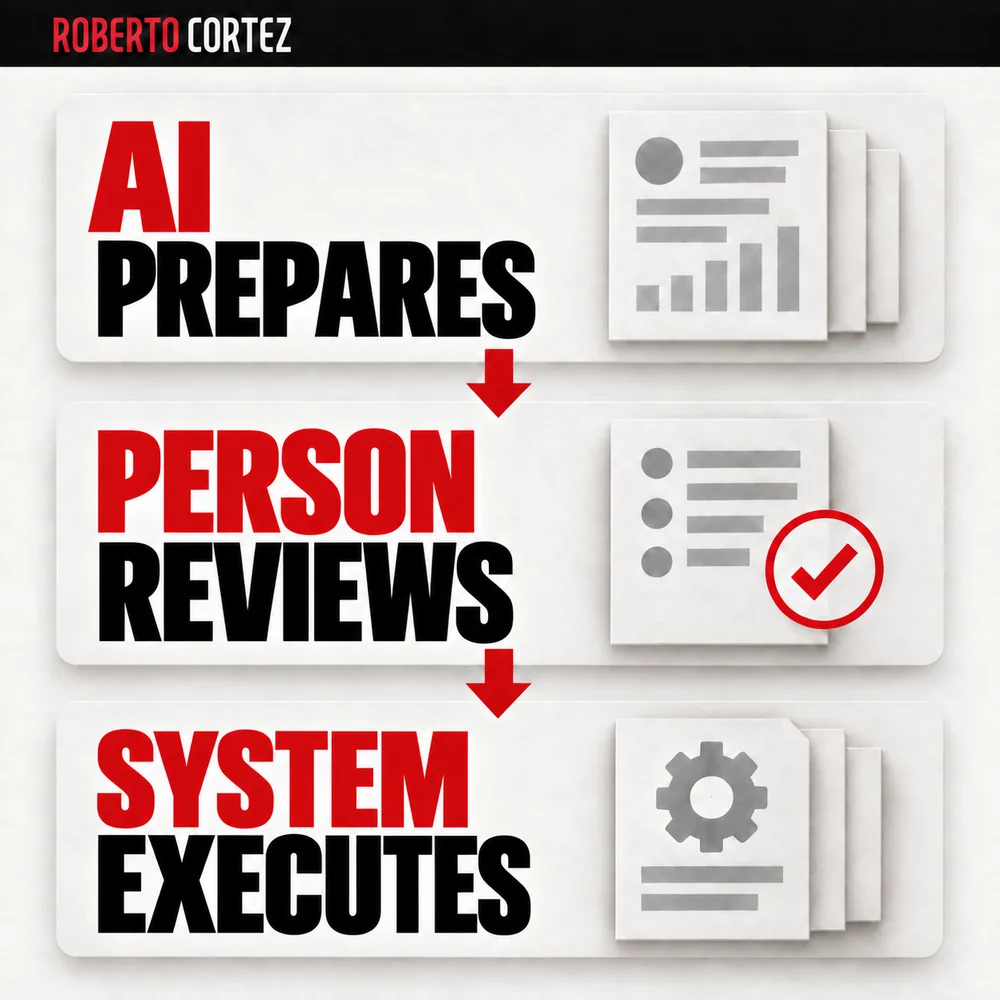
An automation can be triggered by a form submission, a scheduled time, or a change in an order's status. Define who oversees the process, which decisions are authorized, and in what situations it should stop for review. That person needs to be able to check what happened and step in when necessary.
A hypothetical example: imagine a sales contact form that automatically generates a summary of the request, classifies its urgency and gets routed to the person responsible for deciding how to respond. The gain isn't AI deciding for you, but saving the time spent on manual triage, leaving the final call to whoever knows the customer. This kind of handling can speed up sales follow-up, as I describe in the article about qualifying opportunities in B2B prospecting.
Any automation like this needs to anticipate what happens when it fails. Who gets notified if the form isn't processed? Where does the request sit while nobody responds? These decisions are part of the solution from day one, not a detail to sort out later.
Evaluate when it's worth building a custom tool
For many years, companies looked at whatever software was available on the market and adapted their own way of working to that software's limitations. With AI-assisted programming, that logic can flip: it becomes possible to design an internal tool adjusted to what the team actually needs, instead of paying for features that never get used.
This doesn't mean building is always the right choice, nor that commercial software stops making sense. It's worth comparing the maintenance effort, the access it will require, the connections to other systems, and who on the team will keep an eye on it day to day. If nobody has the time or judgment to maintain an internal tool, it may be better to stick with a ready-made solution, even if you only use a fraction of its features.
Anyone wanting to go down this path benefits from understanding how to plan an application with Claude Code before starting to program, because poor planning tends to generate rework later on. This doesn't guarantee the system will be free of problems, but it reduces the odds you'll have to redo the whole structure halfway through.
Protect the business with strict security rules
How easy it now is to connect a tool to databases and external APIs creates the temptation to move forward without thinking about security. An application that works well but exposes access keys or customer data is a real risk to business continuity, no matter how friendly the interface looks.
Some practical rules make sense in any internally built system:
- Store access keys in protected environment variables, never written directly into the code.
- Validate user inputs to reduce the risk of someone manipulating the tool into ignoring privacy instructions.
- Limit each credential to the minimum permissions needed for its function.
- Test the tool with intentionally problematic inputs before making it available to anyone outside the team.
None of these measures guarantee absolute security, but they considerably reduce the most obvious risks. Responsibility for the custody of customer data remains yours, regardless of who built the tool or how sophisticated it is.
If you want to apply this reasoning to your own business, check out my training and mentoring offer on AI and online business and assess whether it fits your specific situation.