
In Sextas Ímpares #142 I showed a workflow that connects campaign data, a spreadsheet, n8n, and WhatsApp, aiming to make that information easier to check without opening the Meta dashboard.
Decide what deserves a message
Before building any automation, decide which decision you want to support. It could be tracking daily spend or getting alerted when something deviates from what was expected. A periodic summary and a one-off alert serve different purposes and shouldn't share the same format.
For a summary, include the period, the spend, the main results, and a comparison that gives context, for example against the previous week. In an alert, identify the campaign in question, the threshold that was crossed, and where to check the full details, without trying to explain everything inside the message itself.
These are examples of structure, not a fixed template. Adjust them to what you actually track in your own case. Sending every available metric at once tends to make the message hard to read and it ends up being ignored over time.
To prepare your next step, explore AI data analysis for businesses.
Explore this decision further: How to design a dashboard that shows which clients need attention.
Make the data's path clear
I described the flow between Google Sheets, n8n, and WhatsApp, where the spreadsheet receives the campaign information and the automation then prepares the final message. This path has several stages, and each one can fail for different reasons. Each handover needs a way to verify completion.
Data collection, calculations, and writing the summary are distinct steps. It's worth checking the totals before asking an AI to explain them, because that helps you pinpoint where in the process an error appeared, if one did. For example, if a total looks odd, first confirm whether the problem lies in the data source or in how the message was written.
If the data source fails to update for any reason, the alert should say so clearly. A message sent today but showing yesterday's numbers needs to state the correct period, without implying it reflects the current state of the account.
Use AI to help with reading, with clear limits
I also showed how the data can serve as a basis for analysis suggestions. In a message-based report, this can help summarize what deserves attention, but it only works well if you define beforehand what the tool can and cannot conclude on its own.
The AI should clearly separate what's actually in the data from what it's merely proposing you verify. A higher cost on a given day, by itself, doesn't explain the cause and doesn't automatically mean the campaign should be paused, it could be seasonality, a tracking issue, or several other things. Ask for short, specific messages, and always keep a link to the full report for when you need to dig deeper.
A hypothetical example: if you received a message saying only "cost per result went up," that wouldn't help you decide anything. A message that instead says by how much it rose, in which campaign, and since when gives you at least a starting point to check.
Avoid repeated messages and unnecessary data
An alert that arrives repeatedly for the same reason quickly loses its usefulness and creates the temptation to ignore everything that comes after it. It's worth logging the sends and defining from what point a new change actually justifies a new notification, instead of repeating the same alert every day.
For this kind of tracking, work with aggregated metrics. Customer names, phone numbers, and addresses don't help you understand cost per result and don't need to circulate in a summary of this kind, even if they're available in the data source.
After setting up the automation, monitor a few sends and compare them against the data source. Review what's missing, what's redundant, and above all, which alerts never lead to any practical decision, because those probably shouldn't keep existing.
If you want to build this kind of process, take a look at the work we do in AI and Automation. As a next step, start by listing the two or three decisions you actually make based on campaign data, and only then design the message that supports them.
Confirm the source before trusting the final number
Before you read any automatic summary, you need to know where the numbers come from and when they were collected. If you don't know that, you're trusting a result without knowing whether it reflects the real state of the campaign or just a sync error.
Imagine, hypothetically, an automation that pulls data from an ad platform every morning at 8am and drops it into a spreadsheet. If the platform has a sync failure that morning, the sheet might end up with the previous day's data without any warning. If the WhatsApp message doesn't state when the data was collected, you'll read an outdated number as if it were current.
So the first practical step is to open the original source and manually compare the value against what arrived in the message, at least during the first weeks after setting up the system. You don't need to do this forever, but you do need to do it the first few times to confirm the path is correct.
A simple test to decide whether a report is trustworthy: ask yourself if you could recreate that number using only the original source, without looking at the message. If the answer is no, some verification step is missing from the process.
Separate the steps so you can spot errors faster
When a number looks wrong, you need to know at which stage of the journey it went off track, and that's only possible if the steps are separated and visible. A process where everything happens invisibly inside one automation forces you to distrust the entire result whenever something looks odd.
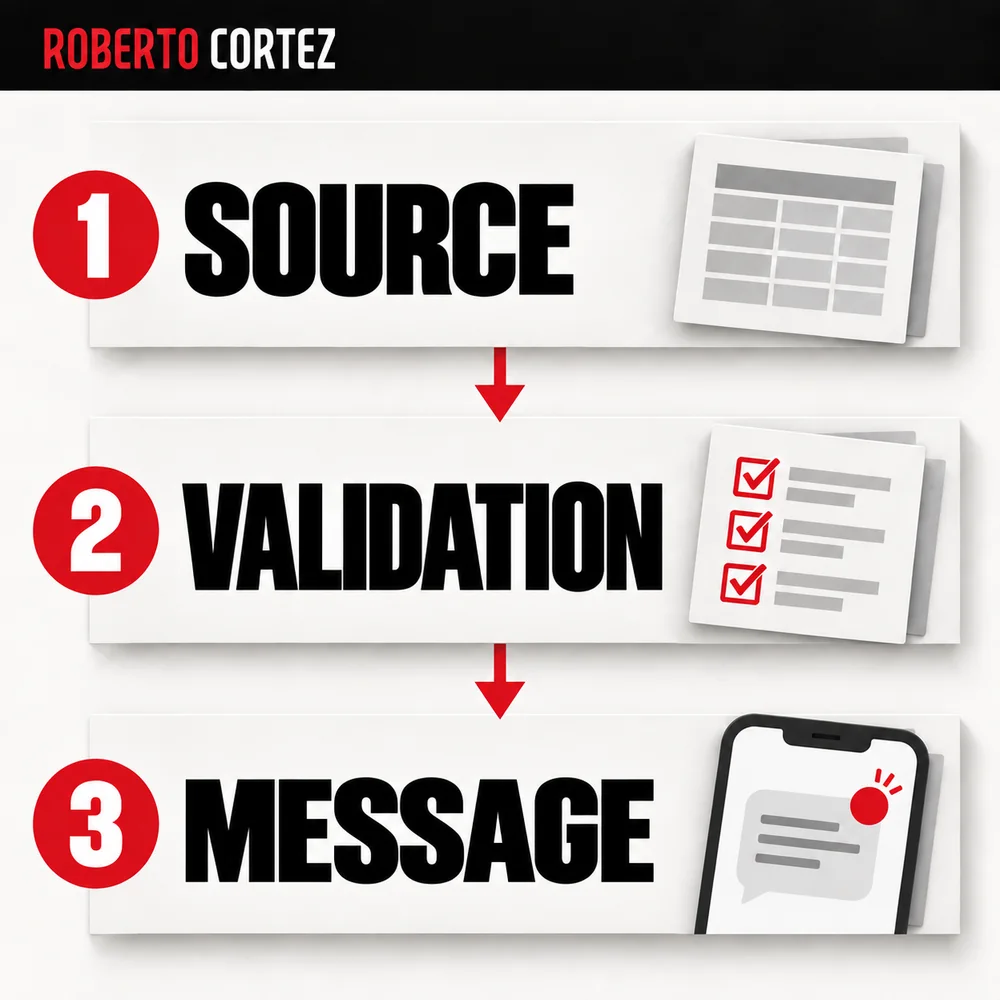
In the earlier hypothetical example, the journey has three distinct steps: collecting the raw data, calculating it in the spreadsheet, and writing the message through automation. If the spend figure is wrong, the problem is likely in the collection step. If the cost-per-result calculation is wrong but the spend is correct, the problem is in the spreadsheet formula. If the numbers are correct but the message text says something different, the problem is in the part that generates the text.
Keeping these steps separate, each with its own record, saves you time when you need to investigate. Without that separation, every error forces you to review everything from the start.
A good habit is to keep, alongside the final message, the raw value that fed into it. That way, if a number looks suspicious, you can quickly compare the two without relying on memory or guesswork.
Set criteria for deciding whether an alert is reliable
Before acting on any alert, run through a short checklist confirming the data source, timing, and magnitude of the change look consistent with real campaign activity. Ask whether the shift appears elsewhere too. This prevents reacting to a data glitch instead of a genuine change worth investigating.
First, ask whether the period stated in the message matches the period you actually wanted to track. Then check whether the value that triggered the alert is consistent with previous days, or whether it's an isolated spike that could be a collection error. Finally, verify that there's a link or an easy path to the full report before you make any decision about the campaign.
In a hypothetical scenario where an alert says cost per result rose 40% in a day, it's worth looking at the number of results too, not just the cost. A day with few results tends to distort averages, and that doesn't necessarily mean the campaign got structurally worse.
These criteria don't replace your judgment, but they help you avoid reacting to noise. An alert system is only useful if the decisions it triggers are, most of the time, correct ones.
Explore this decision further: Automation changed a campaign. Can you explain why?.
Handle failures without hiding the problem
An automatic report is only reliable if it clearly states when something has gone wrong. If the data source fails, the message shouldn't pretend everything is normal, nor should it stay silent. The system needs to flag that it couldn't collect the numbers, rather than sending zeros or repeating the last known value.
Imagine, hypothetically, an automation that connects Google Sheets to WhatsApp through n8n, similar to the setup described in Sextas Ímpares #142. If the spreadsheet fails to update because of an error connecting to the ad account, the flow has two options: send an incomplete message or stop and flag the failure. The second option is always more useful, even if it seems less automatic.
For this to work, each step of the flow needs a checkpoint. Before the AI writes the summary, it should confirm the data arrived complete. An empty field or a zero value where there's normally spend is a sign that something went wrong, not a result to report.
Also set a time limit. If the automation runs every day at nine in the morning and the data source hasn't responded by ten past nine, that's grounds for a technical alert, separate from the normal report. Mixing the two types of message confuses the recipient, because they won't know if the problem is the campaign or the automation.
Decide who accesses the information and how
Decide who needs to receive the report and what information they should see. A direct message and a group with several people give access to different audiences. Confirm the recipients and the level of detail before turning on the automation, especially when the report combines data from more than one client.
For example, hypothetically, if the automation sends a daily summary to a group with the management team and also with a client, the two audiences might need different versions. The team might want the breakdown by campaign, while the client just needs the total spend and the overall result. Sending everything together forces you to filter information that isn't meant for everyone.
This kind of decision also affects the history. If you're storing the reports in a shared spreadsheet, check who has access to that spreadsheet, not just to WhatsApp. It's common for an automation to be well thought out at the message level but leave the data source open to more people than it should.
Verify before trusting
Once the flow is set up, don't assume it's working well just because the messages arrive. Compare a few sends against the original source over a week or two. This verification step is what separates a useful automation from one that seems to work but is repeating the same error every day.
Concretely, pick three or four random days and manually check the numbers that appear in the message against what's on the ad platform. If there's a difference, find out at which stage it appeared: in the collection, the calculation, or the writing of the summary. Fix it there, not in the final message.
Once you've confirmed the data is correct, look at how useful the messages actually are. An alert that never prompts anyone to act is probably poorly calibrated, either because the threshold is too sensitive or because the information isn't reaching whoever makes the decisions. Adjust the criteria or the list of recipients before continuing to send the same alert with no practical effect.