
A document listing steps can seem sufficient until somebody else attempts the work. Questions emerge about which file to use, how to interpret a request or who can approve a change. Many answers were held in the experience of the person who created the procedure and never made it into the document.
Automation makes that difference more visible. A person can recognise a situation from context and adapt the next step; an automated process needs the information and criteria that enable that choice. Preparing the procedure means understanding where those decisions occur and which ones should continue to depend on a person.
Define the result and the boundaries of the procedure
Write down what starts the procedure, what result it should produce and when it ends. Also identify what falls outside its scope. A clear boundary prevents automating a sequence whose objective changes depending on who performs it, and lets you assess whether each step actually contributes to the delivery the team has agreed.
Imagine a hypothetical procedure for preparing a reply to a quotation request. It may start when a request arrives with the minimum information and end with a draft ready for review. Negotiating terms and sending the proposal may belong to another procedure, with different responsible people and permissions.
That separation changes what you need to build. Preparing a draft requires consulting information and organising a proposed response. Making a commercial commitment requires deciding terms, checking authority and communicating with somebody outside the business. Combining everything into one vague objective makes it harder to identify which responsibilities you are delegating.
If you have not chosen the task yet, start with the inventory before the company's first automation. Once it has been selected, develop only that procedure in detail. The document should make its starting point, acceptable result and the person receiving the next piece of work recognisable to somebody else.
To prepare your next step, explore Automating administrative tasks.
Observe the work and record the criteria behind decisions
Ask the person who knows the task to perform it while explaining their choices, including cases where they hesitate or consult somebody else. Record the criterion behind each decision instead of copying clicks alone. Observation reveals necessary knowledge that an account written from memory may leave out of the documented procedure.
The person may choose a document version because they recognise the customer's name, even though the procedure simply says to open the proposal. They may also ignore a field because they know that offer no longer uses it. Without that explanation, the next person will have to rediscover the difference.
A useful playbook combines the objective, steps and lessons to support continuity within the team. When preparing it for automation, add what each decision consults and how it can be confirmed. Choosing the appropriate offer needs to become concrete questions about the need, scope and available conditions for that particular request.
Do not immediately convert every observed choice into a rule. Some may result from a personal habit, an old exception or information that has already changed. Confirm with the process owner which criteria remain valid before fixing them into an execution that will be repeated across future cases.
Describe the inputs and what each field means
For every required piece of information, identify its source, expected format and what happens when it is absent or contradictory. Fields with identical names can have different meanings across tools. The automation needs a consistent definition of the data it uses, especially when those data determine an action or the preparation of a response.
In a quotation request, a date can refer to the enquiry's arrival, the intended project start or the response deadline. The procedure should distinguish those moments. Otherwise, a technically correct transfer may put the wrong date into a message and create an expectation that nobody intended to establish with the customer.
Also define how the correct record is recognised. A name may be insufficient to distinguish two businesses or two opportunities from the same customer. The chosen identifier should connect the request with the correct context, with a way to flag uncertainty rather than resolve similarities through assumptions about what somebody probably meant.
Use permitted examples containing the necessary information to prepare the first version. Do not provide every company document merely to compensate for a poorly explained procedure. Selection should follow the task, with access proportionate to what needs to be consulted and data from other cases kept separate from the work being performed.
Separate stable rules, interpretation and authorisation
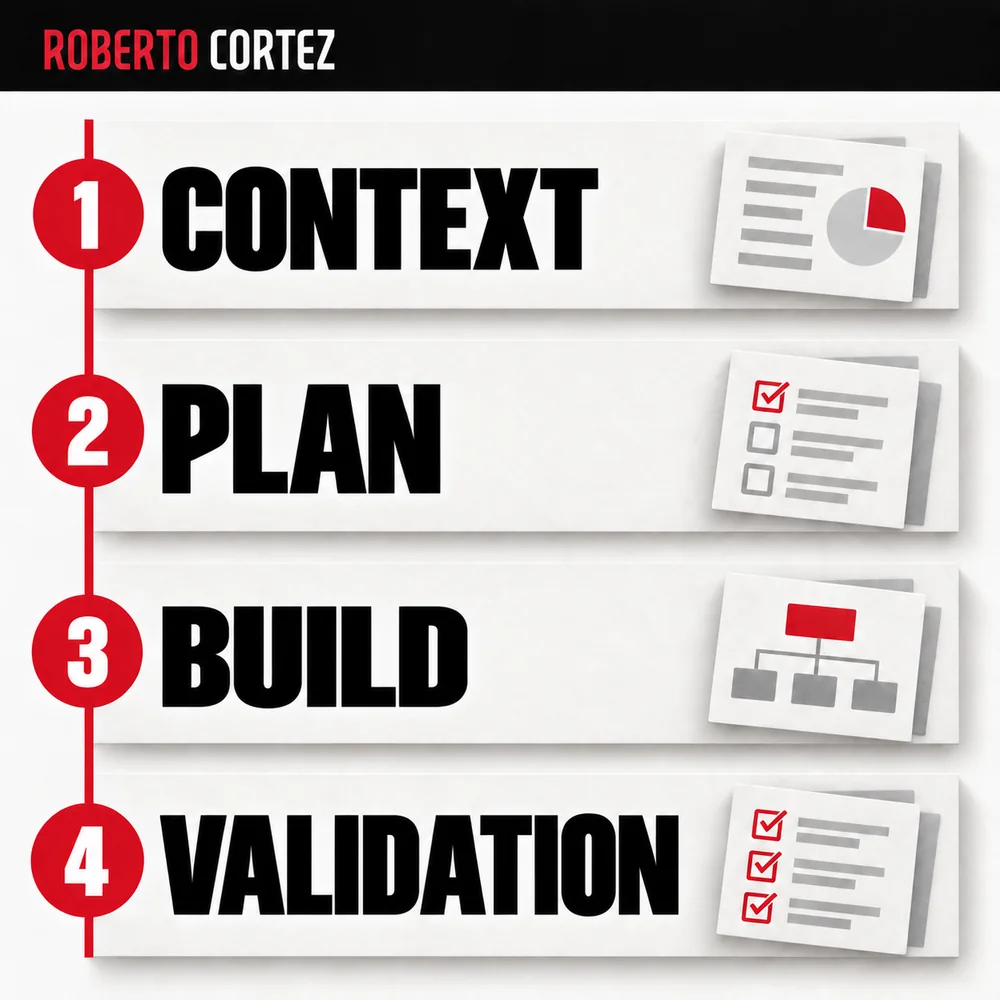
Classify decisions according to whether they depend on a verifiable condition, contextual interpretation or human authorisation. This separation helps select how each stage should be handled without assigning the entire procedure to one mechanism. Also define who can change the criteria and how the team confirms that a change matches the accepted decision.
Checking whether a required field is populated differs from interpreting the purpose of a message. Confirming that a discount was authorised differs from suggesting a possible amount. The procedure should show these distinctions, because a plausible response does not replace the condition that permits an action to be executed.
The choice between automating with rules and using AI should follow that classification. A process can combine structured collection, text interpretation and human review. Each component receives a defined piece of work and returns information that enables the following step to recognise the status of the case it receives.
Write permissions concretely. Preparing a response, saving a draft and sending a message are distinct actions. If the procedure requires confirmation before sending, that transition must exist in the application's operation and the available access, as well as being mentioned in the document that describes the intended process.
Write exceptions as parts of the process
Include cases that prevent continuation, the information that should accompany the alert and the person responsible for the next decision. A well-described exception avoids making the system invent a solution simply to keep the sequence moving. The procedure should explain what happened, what is missing and which condition allows execution to resume.
In the quotation example, the scope of the work may be missing or a requested commercial condition may fall outside the approved offer. The system can gather the request, identify the gap and prepare a question. It does not need to choose a definitive answer to demonstrate that it performed useful work.
Distinguish a failure before creating the draft from a failure after saving it. In the latter case, repeating the whole process may produce two versions that the team must later reconcile. Recording status helps decide whether to repeat a stage, continue from the existing result or ask somebody to intervene.
Add examples of expected behaviour for each relevant exception. A case with missing information, another with contradictory data and another already handled help make the procedure verifiable. The set should represent real or plausible difficulties, with the desired outcome defined before running the automation rather than after seeing what it produces.
Build in stages and update the document with what you learn
First turn a bounded part of the procedure into an execution you can verify, preserving a reference for its previous behaviour. Compare inputs, decisions and results before adding the next stage. Documentation should follow confirmed changes so that the written process and actual operation do not start describing different solutions to the same task.
Ask somebody who did not build the automation to follow a case and explain its result. Their questions reveal where information is missing, even when the author considers everything obvious. Use that observation to improve the procedure and the handover points between the tool and the people working with it.
When testing an automation before handing it over, also check that documented exceptions remain recognisable. Preserve decisions that changed its operation, with their reasons and responsible person. The procedure then becomes a reference for maintaining and evolving the work, without requiring the next person to reconstruct everything from the beginning.